Prepaid passes for your classes and sessions.
With Gomry Bundles, customers buy several visits at once and use their credits to book available sessions. A pass can cover a single recurring class or a selection of your Experiences. You set the price and number of visits; customers choose when to attend.
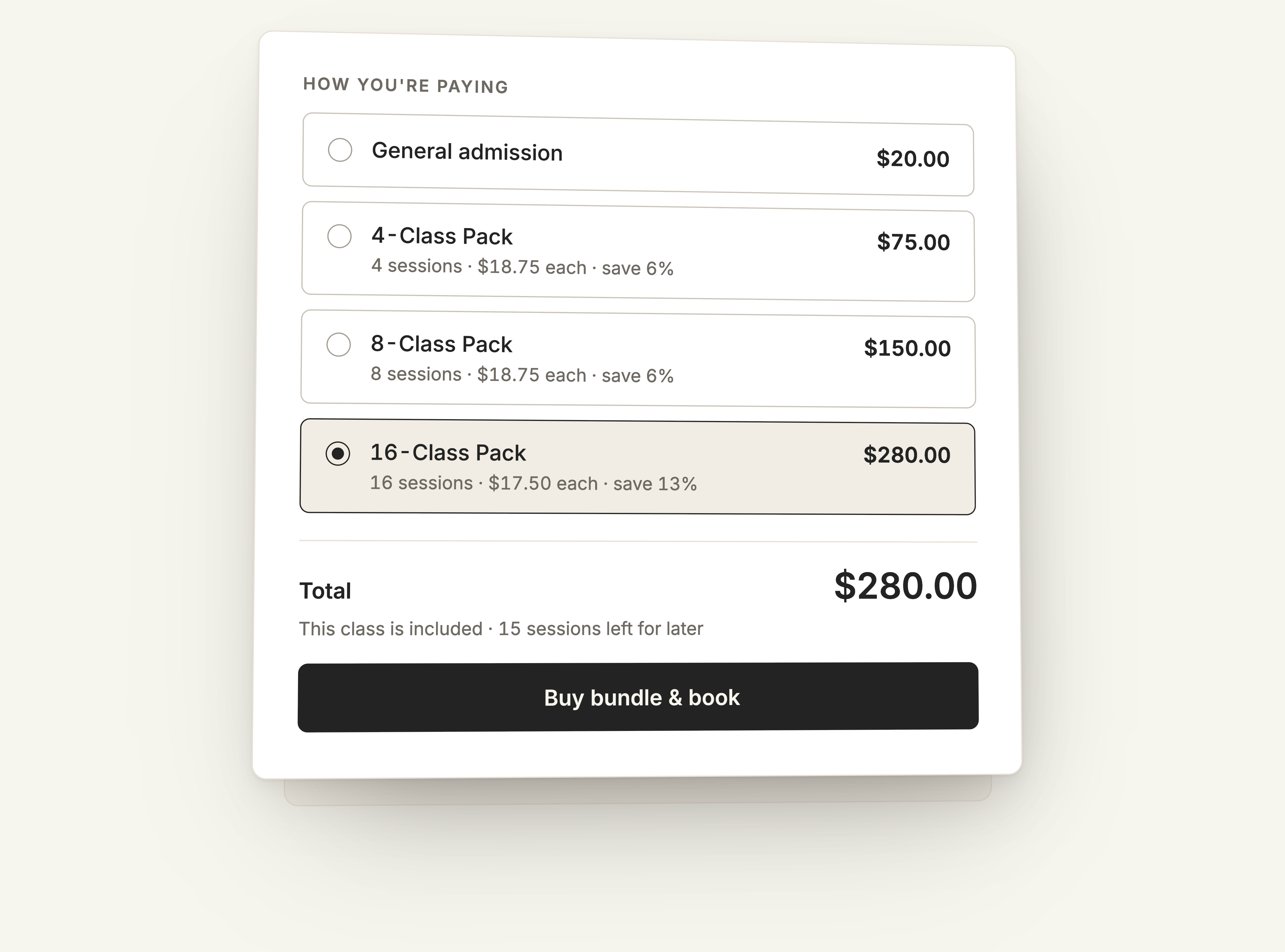
How Bundles work
A Bundle gives customers credit for future bookings. They can buy a pass without choosing all their dates at checkout, then use it as they make plans to attend.
Create a Bundle
Choose the Experiences it covers, how many visits the customer receives and what the pass costs. You can also set an expiry and specify the ticket tier included.
Sell the pass
Customers purchase a pack for the Experiences included in the offer.
Book a session
To use the pass, the customer signs in, selects an available date and applies a credit at checkout. The booking reserves a place in the selected session.
Session capacity still applies. A pass gives customers credits to book with, but it does not hold places on the calendar before they make a reservation.
Choose which classes a pass covers
Use a Bundle for one recurring Experience, such as a weekly Pilates class, or include several Experiences in the same pass. When a pass covers several classes, its credits form one shared balance. Customers can use them in any combination across the classes you selected.
That lets a regular customer attend different classes without buying a separate pass for each one. You control the selection, so including your regular timetable does not require you to include every Experience you offer.
Bundles do not cover Events. A workshop sold as a one-off Event has its own ticket, separate from the customer's class credits.
Define the conditions of each pass
Alongside the price and number of visits, you can specify how long a pass remains valid and which ticket tier customers can book with it.
Validity
State the validity conditions with the offer so customers can identify which sessions their purchase covers.
Ticket tiers
Make the included classes and ticket options clear beside the pack price.
Changes after purchase
Later changes to price and session quantity apply to future purchases. Existing buyers keep their original price and number of sessions.
Offer a pack alongside the timetable
Help a returning customer choose the pack that covers their classes and share the online offer.
Customers choose eligible sessions separately from the purchase of their prepaid visits.
Questions about Bundles
How do I offer a class pack at checkout?
In the Experience dashboard → Registration → Memberships, enable Offer at this checkout for the Bundle you want to propose.
Does a Bundle renew automatically?
No. Customers make a one-time purchase for a set number of visits. If you want to bill customers weekly, monthly or yearly for an allowance of visits or unlimited access to eligible Experiences, use Subscriptions.
Can a Bundle reserve every date in a course?
No. A six-visit pass gives the customer six booking credits, but each date must still be booked separately. For a course sold as one ticket covering the full program, you can use an Event and list the dates included.
Create your first Bundle
Start with the Experience you want customers to book, then add a Bundle for prepaid visits.